
Betmoto Kenya mobile app download
Install the Betmoto Kenya app on your Android or iOS phone to keep sports betting, casino slots and crash games in your pocket. You sign in faster, place bets quicker, and handle M-Pesa payments without reloading pages.


Android installation steps
On Android the Betmoto app comes as an APK from the official website, not from Google Play. File size stays under 50MB, after installation the app uses under 120MB, which fits most Tecno, Infinix, Xiaomi and Samsung phones in Kenya.
Android 5.0 or newer, at least 2GB RAM and a stable 3G or 4G connection are enough for normal betting, live odds and casino games. Budget phones like Tecno Spark 7 or Infinix Hot 10 handle the app fine, older 1GB models sometimes lag during heavy live betting.
Allowing APK installation
Open Settings, go to Security or Apps. Find the option for installing from unknown sources or "Install unknown apps". Turn it on for the browser you use to download. Your phone may show a warning, but as long as you downloaded from betmoto-kenya.com you stay within normal practice for Kenyan betting apps.
Downloading and installing
On your phone browser visit betmoto-kenya.com and tap the Android download button. The file lands in your Downloads folder, usually in 30-60 seconds on 4G around Nairobi or Mombasa, slightly slower on rural 3G. Tap the notification or open the file from Downloads, confirm install, and wait about a minute. Afterwards you open the Betmoto icon, log in or register, and you can immediately deposit with M-Pesa and place your first bet.
iOS installation for iPhone
On iPhone and iPad the Betmoto Kenya app works through a configuration profile instead of a regular App Store listing. Devices from iPhone 7 upwards and iOS 12 or later cope well, anything newer than that feels smoother with live betting and live casino tables.
The profile method looks slightly unusual the first time but you only do it once. After that the icon stays on your home screen and updates roll in through the same profile.
Profile download and install
Open Safari on your iPhone, go to betmoto-kenya.com and hit the iOS download button. Safari asks if it may download a configuration profile, you tap Allow. Then open Settings, tap "Profile Downloaded" and choose Install in the top corner. Type your passcode if iOS asks, confirm again, and wait for the short install to finish.
Trusting the app to run
After installation you see the Betmoto Kenya icon but the first launch might show a trust warning. Go back into Settings, open General, then VPN & Device Management or Profiles. Tap the Betmoto entry under Enterprise App, choose Trust and confirm. From now on the app opens normally and you can log in, bet and cash out just as you would in a browser.
Mobile app features Kenyan players use
The app repeats everything from the Betmoto website but adds phone-specific tricks. You keep your betting slip stable when the signal jumps, see odds faster during live games and receive alerts when money hits your account.
Biometric signin
You log in with fingerprint or Face ID instead of typing your password on a small keyboard. Sessions lock automatically when you close the app, which helps if you share your phone with family or friends but still want to guard your bets.
Live alerts
The app sends push notifications when bets settle, when key odds move on saved games and when Betmoto credits bonuses. For example a Gor Mahia vs AFC Leopards Mashemeji derby bet will trigger quick updates on score and market moves.
Lower data usage
Compressed graphics and cached layouts mean the app uses roughly half the data of the browser version over several sessions. On Safaricom or Airtel bundles that might save you dozens of shillings across busy football weekends.
Fast bet placement
Markets load without constant reloads, so placing a straight 1X2 bet or building an accumulator takes a couple of taps. During Kenyan Premier League live games this difference matters if odds change every few seconds.
Handling weak signal
In areas outside Nairobi or along roads between towns you sometimes get short drops in connectivity. The app keeps your slip ready and sends your stake again when the signal returns, instead of throwing an error page like many browsers do.
Casino on the go
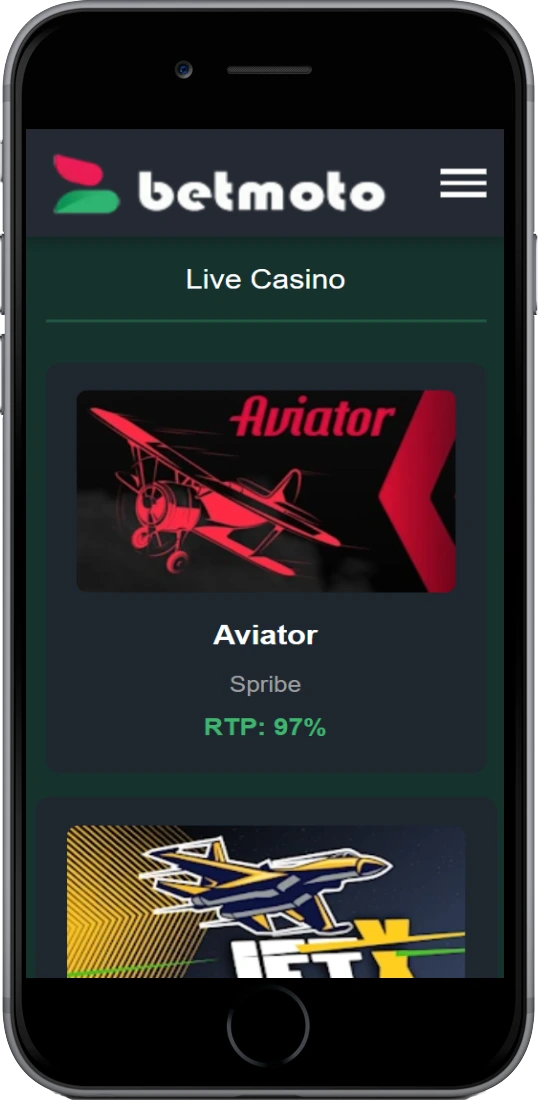
You open Aviator, 5 Lions Megaways, Wolf Gold or live blackjack from a single menu, with RTP and volatility details already cached. Sessions resume quickly if you switch between data and WiFi or receive a call mid-round.
App versus mobile browser
You can always bet through Chrome, Safari or Opera Mini, and many Kenyan players start that way. But for frequent use the Betmoto app usually feels quicker, especially with live betting and M-Pesa deposits.
| Feature | Mobile browser | Betmoto app |
|---|---|---|
| Installation | No install | One-time APK/profile |
| Login speed | Manual password | Biometric |
| Initial load | Slower on 3G | Optimized for 3G/4G |
| Data usage | Higher per session | Reduced with caching |
| Notifications | Limited | Full push alerts |
| Connection drops | Page errors | Queued actions |
| M-Pesa flow | More page reloads | Smoother steps |
If you bet several times per week, the app is more practical. If you only play once in a while, the browser keeps things simple and uses no extra storage.
System requirements and devices in Kenya
The Betmoto Kenya app is built for typical phones you see in Nairobi matatus or in Mombasa shops, not only for premium flagships. Still, very old models may struggle with full live casino and many open markets.
Android requirements
Android 5.0 or higher, at least 2GB RAM and 150MB free storage space. A 4.5-inch screen or bigger makes navigation easier for markets, odds and bet builders. 3G works but 4G gives smoother live betting.
iOS requirements
iOS 12.0 or later on iPhone 7 or newer, iPad 5th generation or newer. Around 150MB free space is enough. The app follows native gestures, so you swipe between sports, casino and account pages without heavy menus.
Popular compatible phones
Tecno Spark and Camon series, Infinix Hot and Note models, Samsung Galaxy A03 and A13, Xiaomi Redmi 9 and 10 all handle Betmoto comfortably. On iOS side, iPhone 8, X, 11 and 12 get through a full betting weekend without noticeable slowdowns unless the phone is loaded with many other apps.